
HubSpot LinkedIn Chrome Extension
Remove the friction between LinkedIn and HubSpot
CRMs pull reps off LinkedIn, and LinkedIn hides the activity that drives pipeline, slowing outbound down.
Hublead keeps reps on LinkedIn so they prospect faster, while managers finally get trusted, actionable data directly inside HubSpot.




Loved by 8,000+ Users













Hublead keeps reps on LinkedIn so they prospect faster
Speed for reps, clarity for managers, and automation-ready LinkedIn data in one unified workflow between LinkedIn and HubSpot.
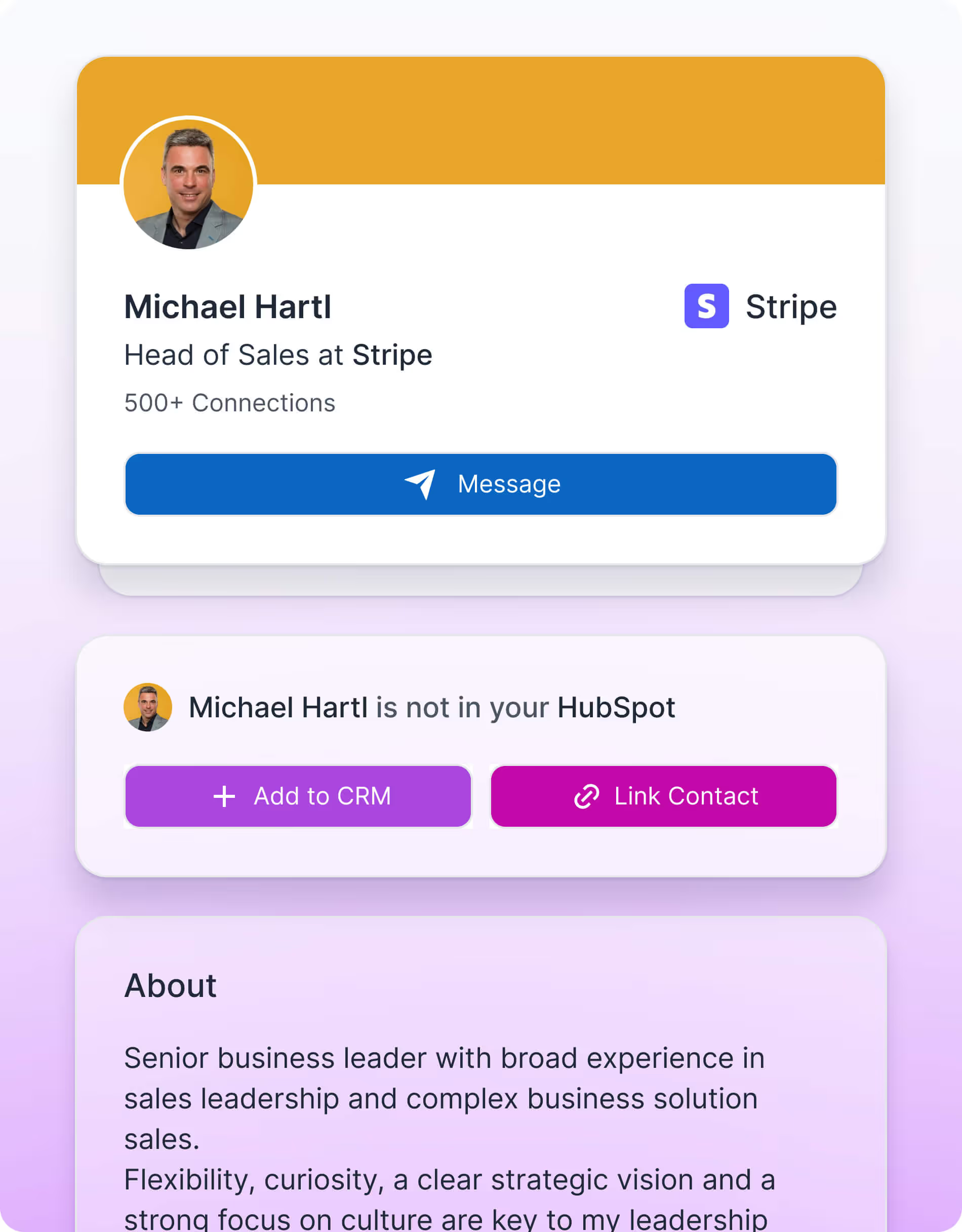
Reps should spend time selling, not updating CRMs.
Remove the admin work that slows reps down and give them one clean workflow inside LinkedIn so they can move faster.

You can’t coach, optimize, or scale what you can’t see.
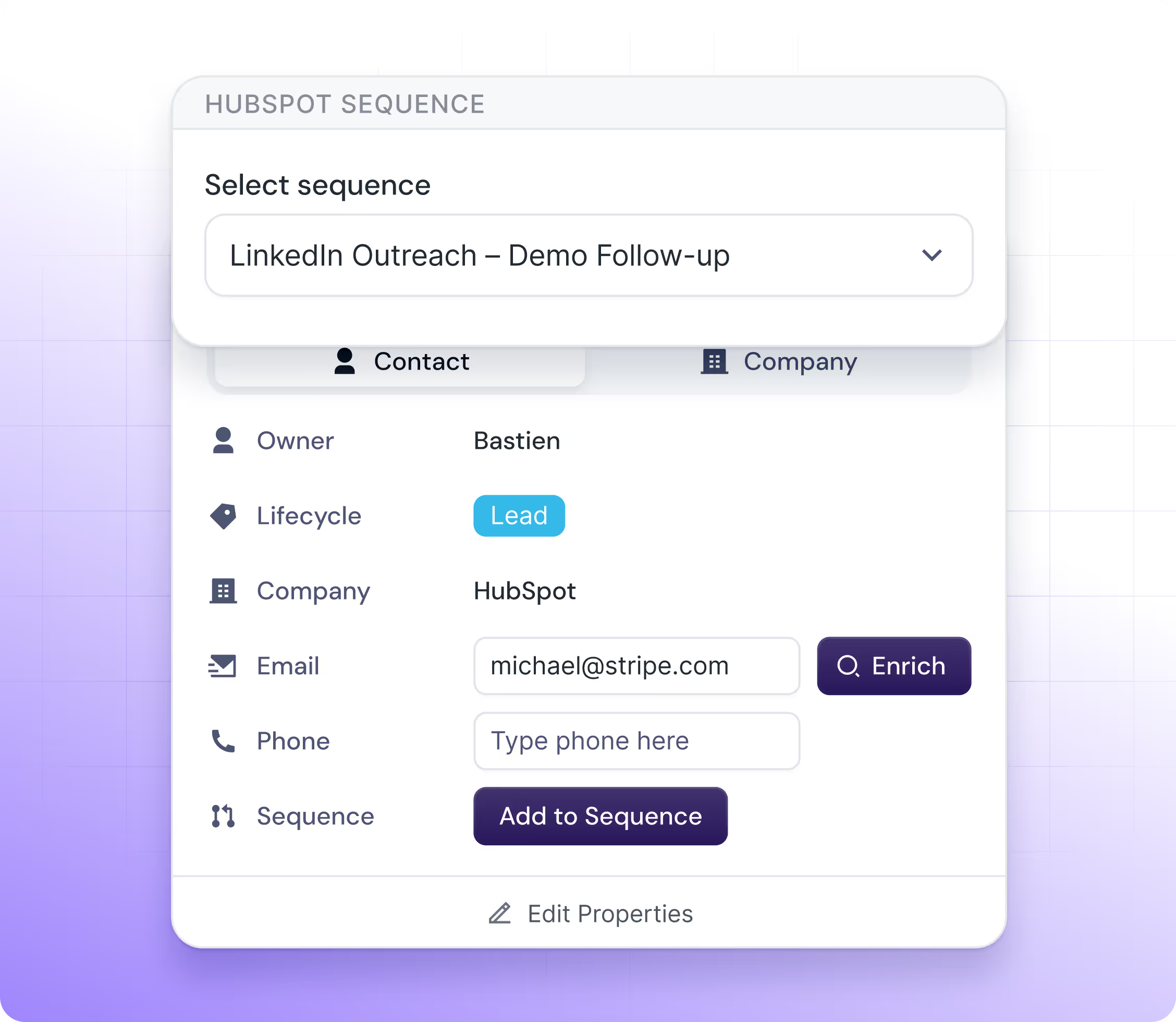
Turn every LinkedIn interaction into automation-ready signals and enrich contacts with accurate emails and phone numbers so your pipeline becomes predictable and your workflows run on clean, trusted data.

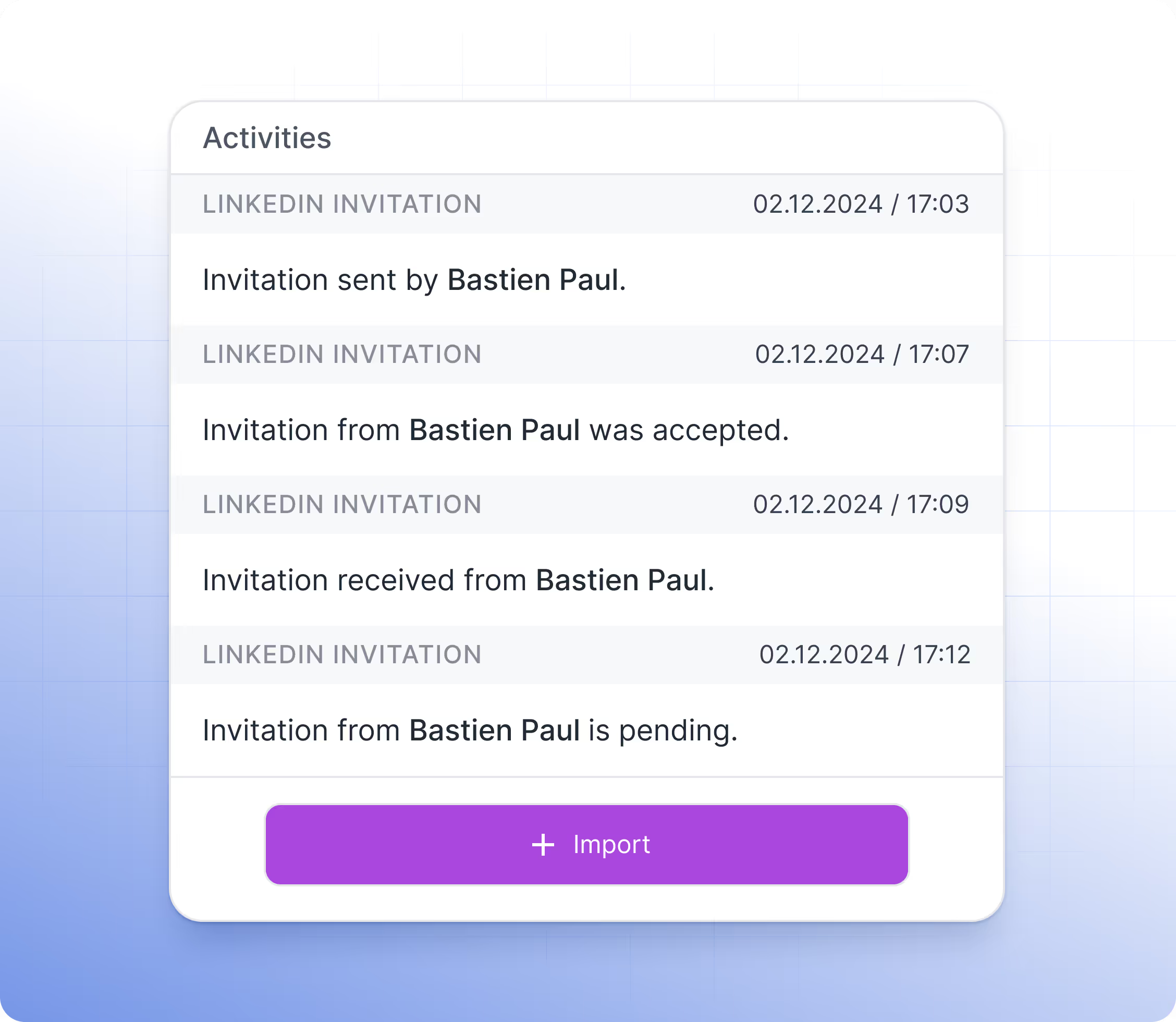
Every interaction on LinkedIn should fuel automation, reporting, and predictable pipeline
Make LinkedIn activity visible in HubSpot and keep data clean and reliable so managers can coach better, spot what works, and scale best practices across the team.
What HubSpot userssay about Hublead
Discover how sales professionals use Hublead to cut manual work, stay focused on LinkedIn, and turn more conversations into booked demos.
Mark Briggs
How many apps out there truly encourage you to do outreach research on the daily? Hublead removes the chore of adding details manually and I use the reclaimed time for approach strategy.



Justin Reynolds
HubLead is a fantastic tool for lead management. It saves us a lot of time and works great with HubSpot. The integration is seamless, making it easy to track and organize leads efficiently. Highly recommend

Markus Vollmer
Had an issue with administration of licenses within my team. Bastien solved it within seconds - awesome support!

Michelyne Pinard
Helpful Tool for our startup and incredible service.

Ben Lerner
Helps saves time -and- prevent typos!

Byron Hill
Had the tool for a few days now - so far so good! Customer service has been exceptional.

Mike Slaughter
Has been a massive time saver so far. Thank you for developing a great product!

Niklas Geisler
Great plug-in. Still lots of room for improvement but core features work really well. Great customer support, too!

Michael Kerr
Game changer 🔥

Matthew Kay
Great app for integrating LinkedIn data in HubSpot - I've not found a better solution for pushing LinkedIn messages into HubSpot. Would thoroughly recommend.

David Varela
Big time saver - easy install and setup

Enrique Flores
Best thing since sliced bread. So much value for the money.

Diego Sarasua
At the moment very good product! You just press add contact in sales navigator and it saves you all the important information of the contact and its company in hubspot.


Connect Hubspot to LinkedIn in few clicks
Give reps the speed to sell, give managers the visibility to coach, and turn every LinkedIn interaction into clean, actionable HubSpot data. All in one unified workflow.
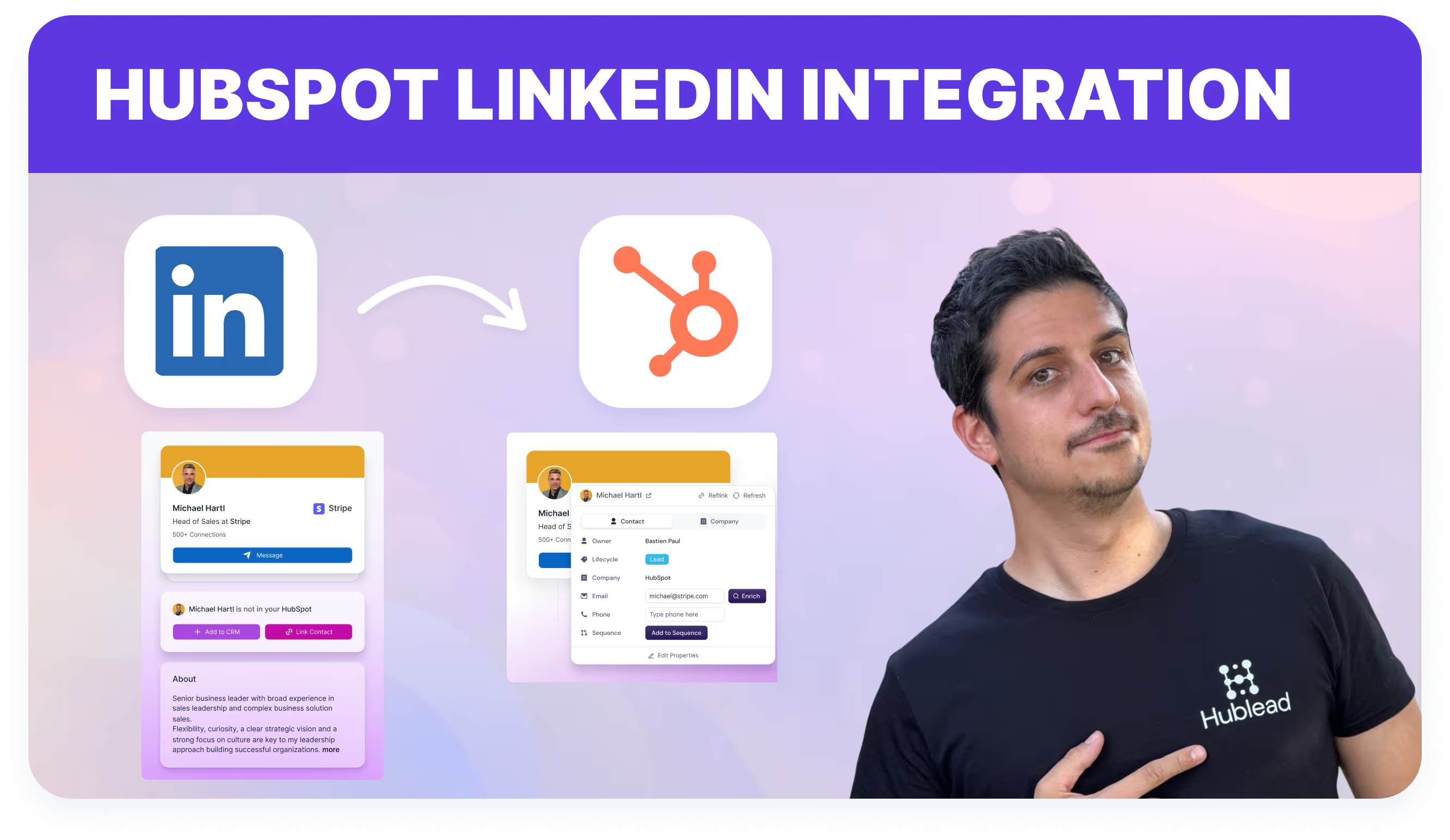
See why companies like to work with Hulead.
Hours saved
Deals from LinkedIn
ROI from LinkedIn
.avif)

Hublead makes it simple.
With one click, LinkedIn actions sync into HubSpot so your reps stay selling, your managers see what matters, and your data drives automation.


And what our users are saying
Hublead is a Chrome extension for adding prospects, logging conversations, and enriching LinkedIn contact data. No duplicates, just pure prospecting.

Hublead is amazing.... I started using the free version a week or two ago and loved it so much that I started paying for their professional package. I love how simple it is. The integration with Hubspot is huge and saves me so much time when it comes to manual data entry. The ability to add contacts quickly and sync messages from LinkedIn is awesome. Linking contacts that I already have in my CRM is super easy too. You should definitely try it out if you used LinkedIn a lot and want to save a... Show more
How many apps out there truly encourage you to do outreach research on the daily? Hublead removes the chore of adding details manually and I use the reclaimed time for approach strategy.

Hublead is an awesome tool that is already saved me hours in my week with no more manual entry between LinkedIn and HubSpot. Bastien, the CEO, personally added me to LinkedIn, followed up to ensure that it setup properly, and was willing to help and answer any questions that I have. Very impressed with it so far!

Hublead is a must-have tool for any sales professional. The ability to import contacts from LinkedIn to HubSpot in a single click has made my job a breeze. I can't imagine my workday without it.
HubLead is a fantastic tool for lead management. It saves us a lot of time and works great with HubSpot. The integration is seamless, making it easy to track and organize leads efficiently. Highly recommend
Had an issue with administration of licenses within my team. Bastien solved it within seconds - awesome support!

Hublead is a game-changer. Importing LinkedIn messages to HubSpot in one click and automatic synchronization of new messages is brilliant. If you're a founder, you need Hublead.

Hublead has ben great for making the connection between HubSpot and LinkedIn as easy and simple as possible. The email contact information is VERY good and the phone contact information is a little more hit or miss but still pretty good. Overall, very pleased with Hublead and would recommend giving it a try.
Helpful Tool for our startup and incredible service.
Helps saves time -and- prevent typos!
LatestHubSpotLinkedIn Blog Posts
Explore tutorials and use cases for sales and marketing pros, from HubSpot workflows and automations to LinkedIn Ads and lead generation strategies.

Frequently Asked Questions
No need to learn a new tool, Hublead is integrated right into your LinkedIn navigation, helping you stay organized and maximize your prospecting efforts.
When clicking on our "Add to CRM" button, you directly import the LinkedIn contact to HubSpot and synchronise these information: First name, Last name, Linkedin Url, Job title, Website URL, City, Country/Region & Language.
Yes! We use by default the "LinkedIn URL" however, you can remap this field.
No we do no support this plan of LinkedIn.
Yes Hublead supports all LinkedIn Sales Navigator plans (Core, Advanced and Advanced Plus)
No you do not need LinkedIn Sales Navigator.
We can use your custom LinkedIn URL, you change that in the dashboard. By default we use a property named "LinkedIn URL".
No, at this moment it is not possible.
Yes, however the portage is handled by Safari, Hublead guarantees support only on Chrome.
No you cannot use Hublead on iPad. Chrome app on iOS does not support chrome extensions.
Our pricing plans are built for different businesses and needs, Hublead plans adapt to all business sizes.
Yes, our data is fully committed and compliant to the GDPR & CCPA requirements.
We only integrate with HubSpot for now, and we prefer to stick to that!
Yes, we do import emal & phone number in HubSpot when we found it. We only show these information when we are 100% sure it's prospect's email & phone number.
Yes, we do import emal & phone number in HubSpot when we found it. We only show these information when we are 100% sure it's prospect's email & phone number.
Whenever you open a LinkedIn contact, we search in your HubSpot if the contact exists already. We search according to a mix of these variables: First name, Last name, Job title, Company name, Website URL, Email & Phone email.
In this case, after clicking on "Add to CRM", a popup will display and you will be invited to select the right company you want to import. After selecting the company, we then search in the CRM if it exists and create the company if it does not.
If we create a company we import all necessary information in HubSpot: Company name, Domain, Website URL, City, Country/Region, Description, Linkedin company url, Number of employees, Language, Industry.
It depends, when importing contacts, we search in HubSpot if the company already exists in your CRM thanks to website URL. If it does exist, we just import the contact and associates the contact to the company, otherwise we create the company.