
How to use HubSpot for lead generation: The ultimate guide for sales teams
Learn how to generate high-quality leads and optimize your lead generation strategy with HubSpot’s powerful tools.
If you’re working in sales, then your pipeline is your lifeline.
The sales reps who maintain a pipeline of qualified, relevant leads are the ones who survive to meet their next quota. The ones who don’t are the reps who will have to look for a job sooner rather than later.
Maintaining a pipeline of leads is simple in theory, but in practice, that’s where it gets complicated. Especially if you use a CRM as powerful and sophisticated as HubSpot.
Fortunately, HubSpot comes with plenty of tools to generate and manage leads as they move through your sales funnel. In this guide, I’ll show you how to generate inbound and outbound leads with HubSpot, nurture them, and turn them into a full pipeline.
What is Lead Generation?
Lead generation is the process of sourcing and capturing leads who match your ICP and turning them into prospects for nurturing as they move through your sales funnel.
Each lead type represents a different level of engagement and readiness to buy. Where most reps go wrong (in my experience) is failing to match their message with the buying stage of the lead.
Here are the buying stages we use at Hublead (as do most sales teams):
- Marketing Qualified Lead (MQL): A lead that has shown interest in your marketing content but isn’t ready for a sales call.
- Sales Qualified Lead (SQL): A lead that has actively engaged with your marketing efforts and is ready to be contacted by your sales team.
- Product Qualified Lead (PQL): A lead that has used a free trial or demo and is likely to become a paying customer.
Deals die when you get this wrong.
If a lead is an MQL, it doesn’t make sense to send them an email asking them to buy, since they haven’t expressed interest in that yet. Likewise, if a lead is a PQL, you’re wasting your time sending top-of-funnel content; you should prompt them to buy right now!
Matching the message to the moment, though, is one of the biggest unlocks you can get to start conversations and move leads down to the next stage in the funnel. By leveraging lead generation tools like HubSpot, businesses can generate high-quality leads, optimize lead capture, and convert more leads into loyal customers.
Inbound lead generation in HubSpot
HubSpot has always been an inbound powerhouse, so it’s no surprise that it offers tons of tools to generate inbound leads from your website.
Here are the top ways you can collaborate with marketing to collect leads who drop by your website to browse your products/services:
- Capture inbound leads with forms
- Set up HubSpot landing pages
- Capture website visitors with chatbots
- See who visits your website with buyer intent
Capture leads with forms
HubSpot forms allow you to capture leads straight from your website, collect valuable data, trigger automations, and even round-robin assign leads to reps.
To create a form in HubSpot :
- Go to Marketing > Forms > Create form.
- Choose a form type between an embedded form and a standalone page.
- Choose a template and customize the fields.
- Finalize the options and settings, save, and publish.
There’s a balance you need to strike when choosing fields for your form. On one hand, you need as much data as you can capture to qualify a lead. On the other hand, the more fields you add, the more likely potential leads are to skip over your forms.
27% of potential leads will abandon a form if they think it’s too long, so keep that in mind before adding dozens of fields to your forms. Enrichment tools like Apollo or Hublead Enrichment can help fill in any gaps left after contacts convert on your forms.
Set up high-converting landing pages
HubSpot also lets you create high-converting landing pages in its CMS.
You can use these to direct prospects in your emails or LinkedIn messages, or work with marketing on running ads to them to capture buy-ready leads. There are tons of landing page builders out there, but I love HubSpot for its Smart Content feature, which lets you personalize landing pages based on user behavior and target audience.
To create a landing page in HubSpot:
- Go to Content > Landing Pages > Create
- Select a template and customize the landing page with a strong headline and a clear call-to-action.
- Finalize the setup, save, and publish.
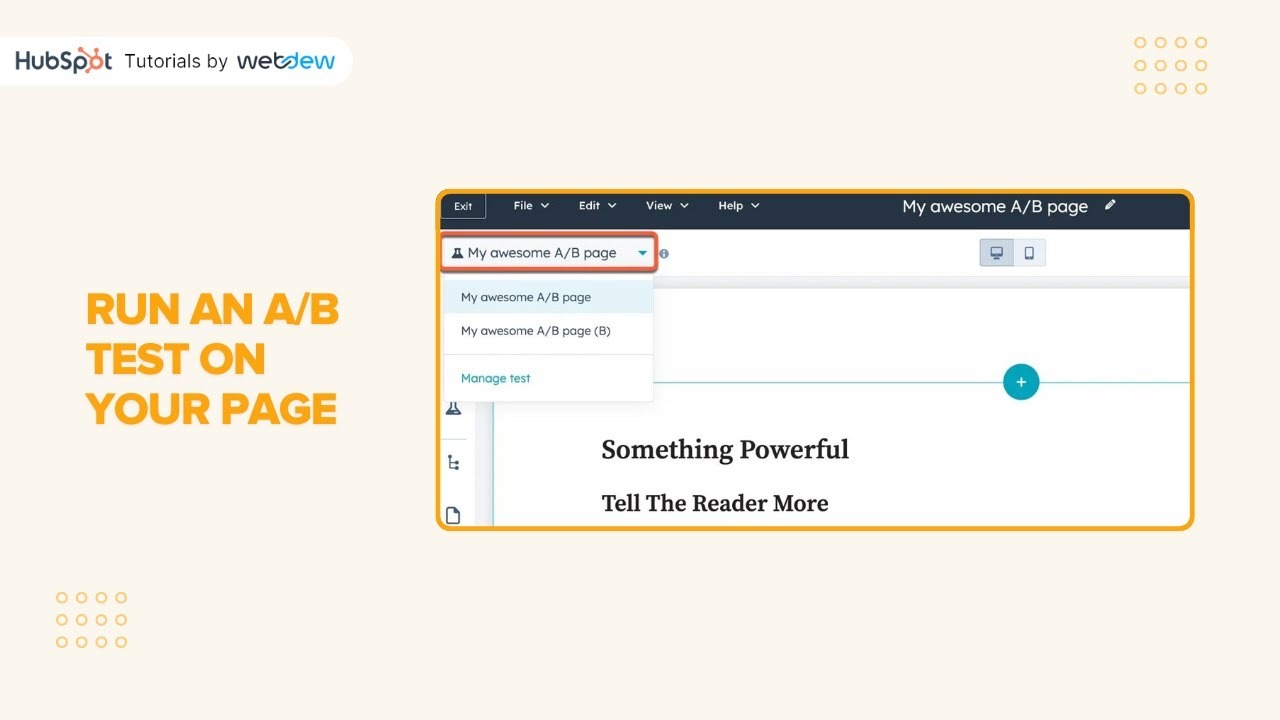
I recommend you run A/B tests with HubSpot's built-in testing tools to optimize email subject lines, CTAs, and marketing channels for better performance on your landing page.
Capture website visitors with chatbots
You don’t have to limit lead capture to landing pages and forms. HubSpot offers a live chat feature that lets you either automate interactions with leads using AI or respond to website visitors in real time.
We use HubSpot’s live chat feature on our website:

The great thing about HubSpot is that you can customize bot messages based on where contacts are on your website. For example, you can welcome them with a generic message on your home page, and then ask them if they want to book a demo or chat about custom pricing on your pricing page.
Filling out a form can seem intimidating to some prospects, so live chat can be an excellent way to capture more leads from your website who aren’t quite ready to take a big step into your funnel.
To set up a live chat in HubSpot:
- Go to Automations > Chatflows > Create Chatflow
- Select Live Agent to instantly connect visitors with a team member, or choose a Chatbot, which follows predefined rules and is ideal for Q&A and appointment bookings.
- Customize your Live Chat according to the available options.
- Review and save to make it available for your website visitors.
Spot website visitors with buyer intent
The above is all well and good if contacts fill out forms on your website, but what if they don’t?
Assuming your forms have a 2% conversion rate on average, that leaves 98% of your website traffic bouncing off and going elsewhere. That’s still valuable traffic to target, though! The hardest part about messaging cold prospects is that they do not know who you are, but prospects who have visited your website will be more familiar with your brand and more receptive to your messages as a result.
The answer is HubSpot’s buyer intent. Buyer Intent uses the HubSpot tracking code on your website to identify the known IP addresses associated with companies. From experience, the data is reliable and accurate, even if it’s not perfect (and for what it’s worth, none of these tools are perfect).
Outbound lead generation in HubSpot
Where HubSpot often falls short is outbound lead gen.
Inbound leads are great, but the volume is hardly enough to sustain a sales team. You may need a pool of 50- 100 qualified prospects to nurture at any given time, and unless you get a ton of traffic, it’s doubtful inbound can sustain all of that.
To do that, you need to look beyond your website to find prospects who match your ICP. There are two great ways to do that:
- Lead generation platforms
I’ll walk you through each one.
Lead generation platforms for HubSpot
No sales rep these days can survive without a lead generation platform to source leads for cold nurturing.
My favorites (that also integrate with HubSpot) are:
- Clay: One of the kings in lead generation and enrichment. Clay lets you build lead spreadsheets based on filters and criteria and spot outreach triggers.
- Apollo: An all-in-one lead generation and nurturing platform. I like Apollo because it allows you to source cold leads that match your ICP, track who is visiting your website, and offers some meeting-intelligence tools (like Gong) as well.
- ZoomInfo: Another popular lead gen platform that allows you to source and enrich leads for nurturing.
These tools are similar, and their data quality is top-notch, so I recommend choosing the one that fits your budget and is easiest to onboard.
Integrating LinkedIn with HubSpot
LinkedIn is by far the most powerful platform for B2B lead generation and sales.
The problem is, LinkedIn doesn’t integrate directly with HubSpot.
You can integrate LinkedIn Sales Navigator, but it only works for select tiers. That’s why we built Hublead: our Chrome extension that seamlessly integrates LinkedIn with HubSpot so that every lead, DM, and InMail is recorded in your CRM.
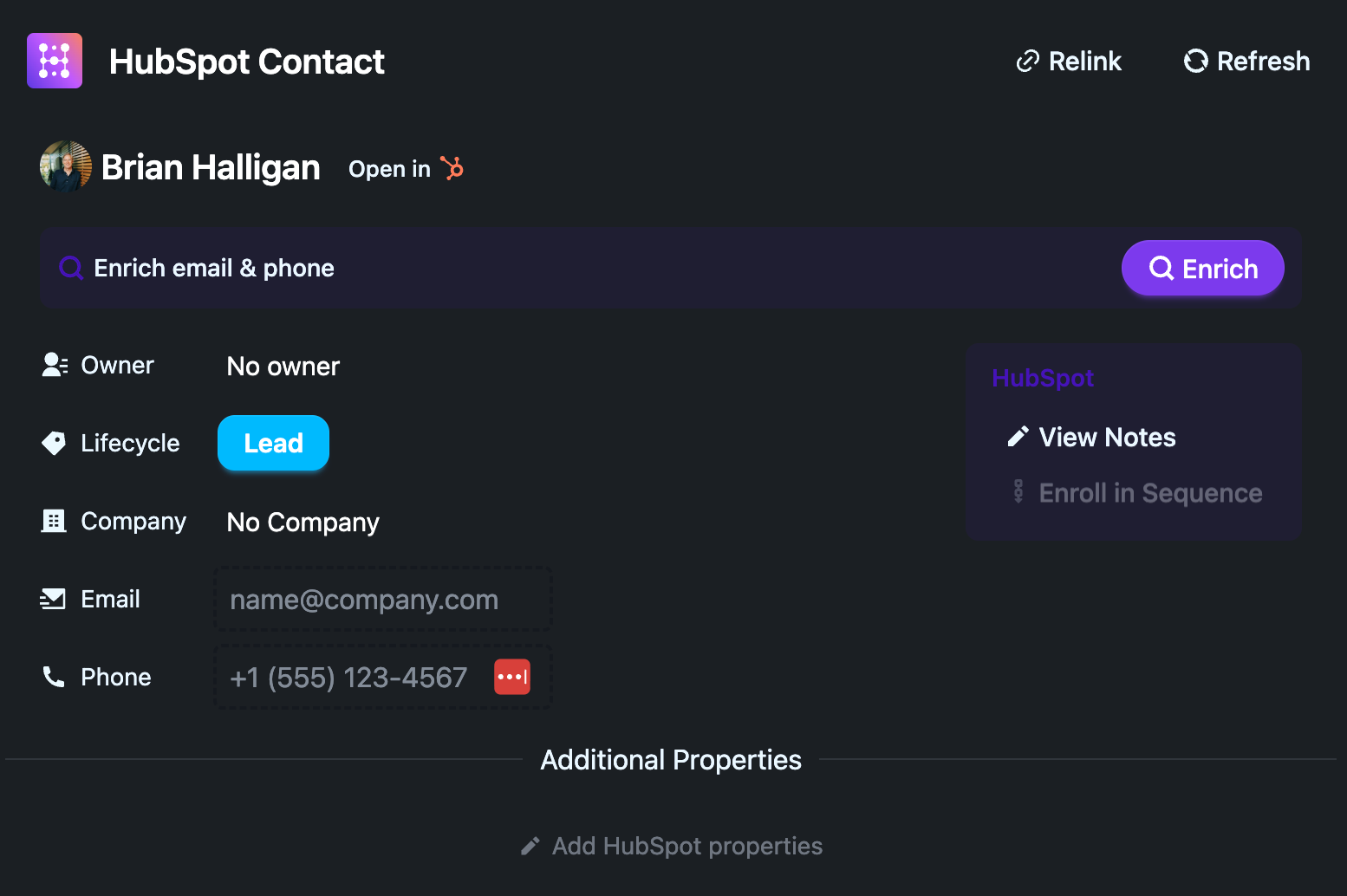
With Hublead, you can:
- Syncing your LinkedIn contacts to HubSpot.
- Identify shared connections on LinkedIn to leverage mutual contacts for warm introductions and stronger networking opportunities.
- Track all LinkedIn interactions within HubSpot.
Hublead saves reps 2+ hours on average every week. Try it for free to see how much more efficiently you can prospect on LinkedIn!
How to nurture leads in HubSpot
Once leads are captured, the next step is to nurture them so you can identify the handraisers worth pursuing directly. You should be working these contacts directly, but there are two ways to automate lead nurturing in HubSpot that are worth setting up:
- Workflows
- Sequences
How to nurture HubSpot leads with workflows
Workflows are the more powerful of these two.
You can use workflows in HubSpot to automate a series of marketing emails, round-robin, assign leads, and even send contacts down different branches based on their activity and engagement.
To create a workflow, do the following:
- Go to Automation > Workflows > Create Workflow.
- Select a trigger and a goal and set up the actions.
- Fine-tune your workflow, save, and publish.
The question always is, what workflows should you create? Here are a few to get you started:
- Welcome contacts who download a lead magnet to introduce them to your brand
- Trigger a workflow based on visiting your pricing page to encourage contacts to book a demo/consultation
- Revive dormant leads to warm them up for an engagement campaign
- Trigger messages if a contact connects with you on LinkedIn (you can do this with Hublead!)
I like to use Workflows to enroll contacts based on a flexible set of criteria for a timely sequence of messages. If you have a batch of prospects you want to warm up in bulk, sequences are a great choice.
How to nurture HubSpot leads with sequences
Sequences are the HubSpot CRM’s automation tool designed to send emails, create tasks, and more for each prospect you enroll.
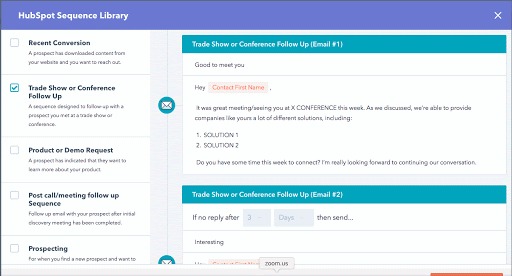
Sequences allow you to drip a series of personalized emails to sales-qualified leads or cold prospects over time, automating your outreach at scale.
Access to HubSpot Sequences is available to users with a Sales Hub Professional, Service Hub Professional, or Enterprise subscription with a connected personal inbox.
I like to use Sequences to:
- Nurture a cold prospect and warm them up for a conversation
- Follow-up post-demo
- Upsell an existing customer
- Re-engage an old lead
Check out my 10 favorite Sequences to run in HubSpot for some inspiration!
How to track & optimize your lead generation efforts in HubSpot
Lead generation and nurturing are long processes. Every sales rep who’s tried prospecting for more than 30 minutes knows that.
That’s where HubSpot’s reporting tools are critical for you and your team to measure, optimize, and improve your lead gen efforts as time goes on. Some standard reports to start with are:
- Tracking where leads come from - which traffic sources bring the most leads?
- Measuring form conversion rates and optimizing them based on changes.
- Tracking email open rates, click-through rates, and response rates for sequences and workflows
- Measuring pipeline velocity to see how quickly deals move from one stage to the next
By regularly reviewing these metrics, your team can make informed adjustments to improve your sales process. Check out my favorite HubSpot sales dashboards for some more inspiration for what to track.
Master HubSpot lead generation with the HubSpot Outbound Handbook
Success in outbound is less about a single magical template, striking lightning in a bottle, or having the ultimate AI tool. It’s more about orchestrating messages and touchpoints.
Identify your top prospects, choose your channels, and coordinate your touchpoints to get their attention.
If you really want to level up your sales process in HubSpot, download the free HubSpot Outbound Handbook, our guide to building a scalable and effective outbound process in HubSpot. In this guide, we cover:
- The channels to use
- How to get the attention of your prospects
- The tools you should use to speed up sales
And more! Click the button below to get it for free and start scaling your outbound process in HubSpot.
What is a HubSpot lead nurturing workflow?
It is HubSpot's automated email system designed to move leads through the buying journey by sending personalized content based on their interactions and behaviors.
How do marketers typically generate leads?
Marketers use content marketing, SEO, social media, and paid ads to attract leads. HubSpot simplifies lead generation with landing pages, lead capture forms, and analytics to track performance.
How does HubSpot help with lead generation?
HubSpot automates lead generation with tools like email campaigns, lead tracking, and personalized follow-ups, making it easier to convert prospects into customers.
What should be included in an effective engagement strategy?
A good engagement strategy uses personalized communication, multi-channel outreach, and valuable content. HubSpot streamlines this with automated workflows, email marketing, and CRM tracking.
What makes a lead engaging?
An engaging lead actively interacts with your brand, showing interest through email opens, clicks, or social media. HubSpot helps track and nurture these leads with automated follow-ups and personalized content.
